Receiving & stock control
Record goods received, follow stock by warehouse, batch and expiry, run counts, and review variances before adjustments are approved.

VisionLogix WMS connects stock, orders, fulfilment and delivery in one secure web application. Warehouse teams do the work while Principals see the information they are permitted to access.
One connected operational record for the teams receiving, counting, fulfilling and delivering customer stock.
Replace separate stock sheets and order updates with controlled warehouse workflows. VisionLogix brings receiving, stock control, transfers, orders, fulfilment, financial documents and delivery evidence together without giving every user access to every customer or warehouse.
Follow stock from receipt and movement through fulfilment, invoicing and delivery, with role-specific visibility around every stage.
Record goods received, follow stock by warehouse, batch and expiry, run counts, and review variances before adjustments are approved.
Request and approve warehouse transfers, confirm shipping and receiving, and retain a traceable record of shortages or damaged stock.
Capture orders, validate pricing, allocate available stock, record picked quantities, and keep exceptions visible before loading.
Allow authorised warehouse teams to invoice confirmed loads and manage invoice-linked credits inside the permitted workflow.
Plan routes, assign vehicles and drivers, dispatch loads, record delivery outcomes, and retain proof of delivery.
Use role-specific dashboards, assign tasks, track support requests, and retain audit visibility across permitted activity.
Warehouse teams, Principals and platform administrators each get an overview suited to their role and permitted data.
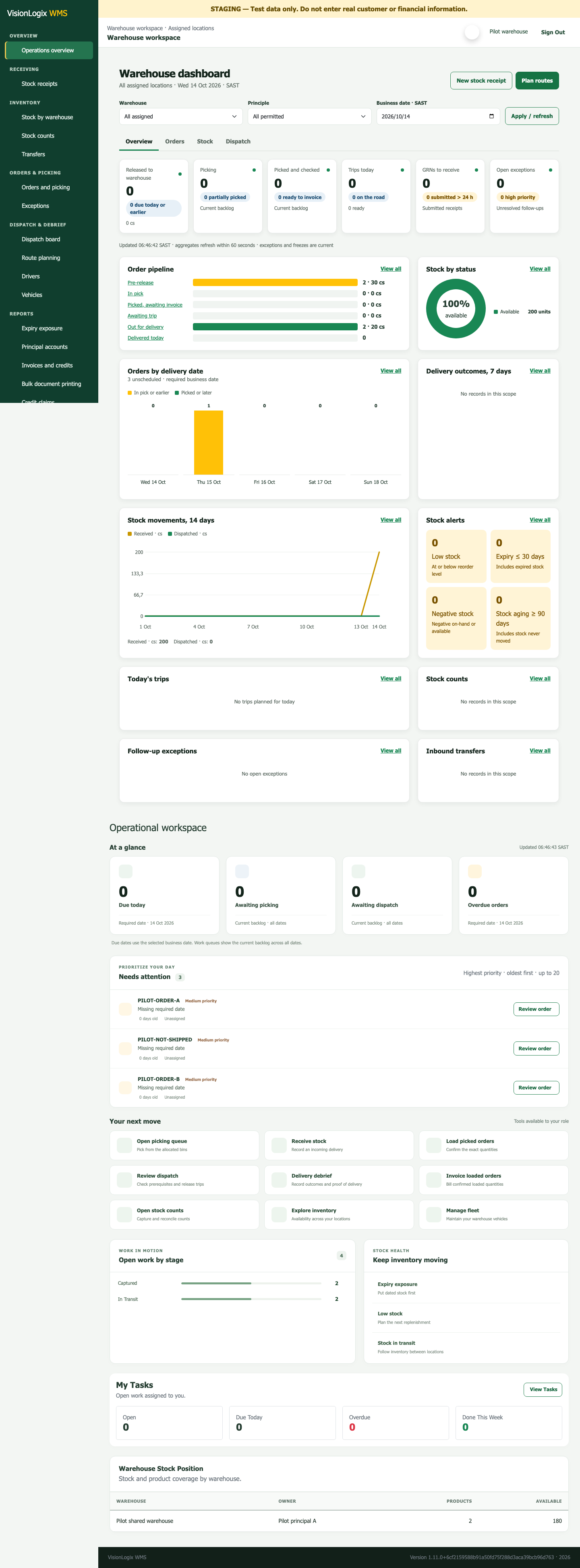
Prioritise fulfilment, follow stock health, and keep receiving and dispatch work visible.
View full-size screen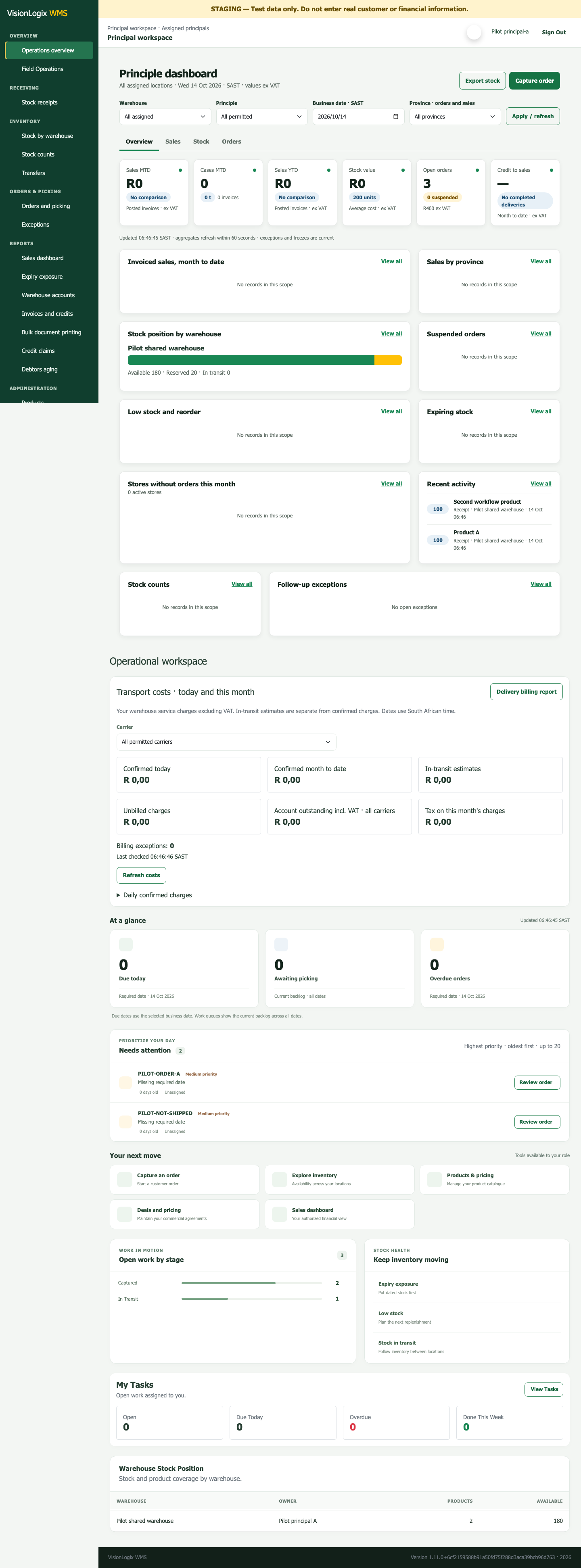
See your own stock, sales, orders and exceptions across the warehouses you are permitted to access.
View full-size screen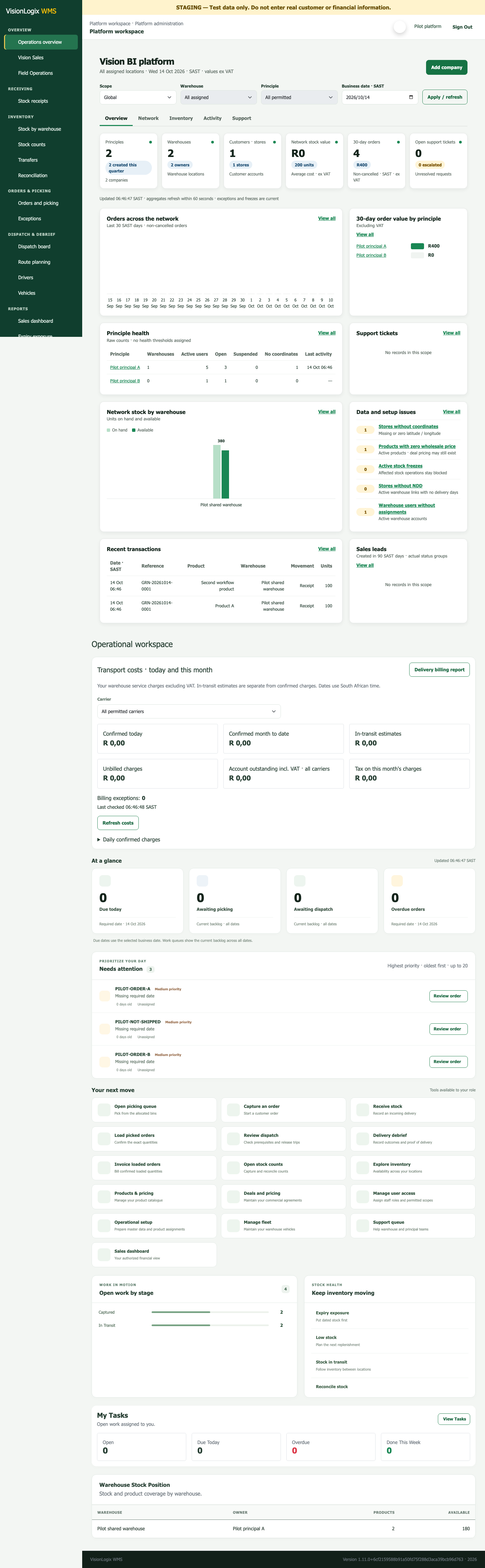
Give authorised platform administrators a network view for setup and operational oversight.
View full-size screenActual VisionLogix product screens with synthetic demonstration data. Available actions depend on the user’s assigned role, organisation and warehouse access.
Give each Principal a controlled view of its own operation across the warehouses it is permitted to see.
A Principal can follow its own stock, sales, orders, exceptions, financial documents and delivery evidence without gaining access to another customer’s information. Scope is enforced by assigned roles and tenant access, not only by hiding menu items.
Both options use VisionLogix WMS. The difference is how much ongoing platform administration your team wants Vision BI to handle.
Your warehouse team operates the browser-based system through its assigned role and access scope.
Vision BI takes a more active role in the technical administration of your agreed VisionLogix environment.
The managed-platform option covers the technology environment, not physical warehouse labour or responsibility for stock and source-data accuracy. Your quote is based on warehouses, users, workflows, onboarding, support and integration requirements.
Walk through the workflows that matter to your team, then agree the operational scope, implementation work and commercial terms.
We use cookies to run this site and, with your consent, to understand traffic and improve our marketing. You can accept all, reject non-essential, or choose what to allow. See our Privacy Policy and Cookie Policy.